How to upgrade a free server to a paid plan
Updated Easy5 min read
Your free server keeps filling up, or you are tired of waiting for it to wake every time you play? You do not need a new server. Upgrade it from its own page: pick a plan, pay, and the same server moves up. The world, the address, the plugins and the operators all stay where they are. What changes is its size, anywhere from 1 GB up to 8 GB, and it stops sleeping.
Before you start
- The server has to have finished building. If its status still says "Installing", give it a minute or two.
- The Upgrade button is only on Free servers. Moving from one paid plan to another? Contact support.
- One server, one upgrade at a time. If an upgrade invoice is still unpaid, finish or cancel it first.
1. Open the server and press Upgrade
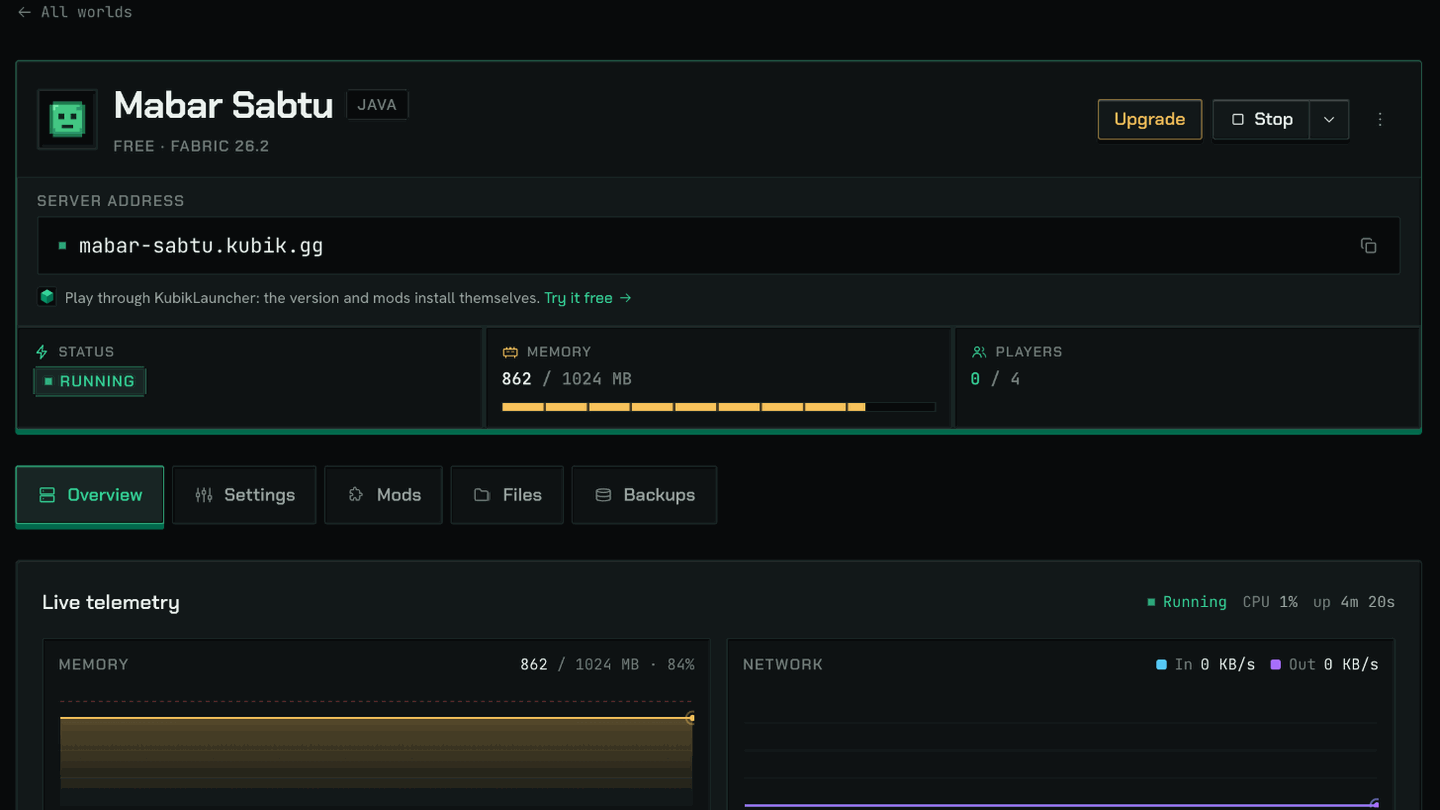
On your server’s page there is a gold "Upgrade" button next to Start or Stop. It is there on every tab, so you can reach it from Overview, Settings or anywhere else.
2. Pick a plan and a term
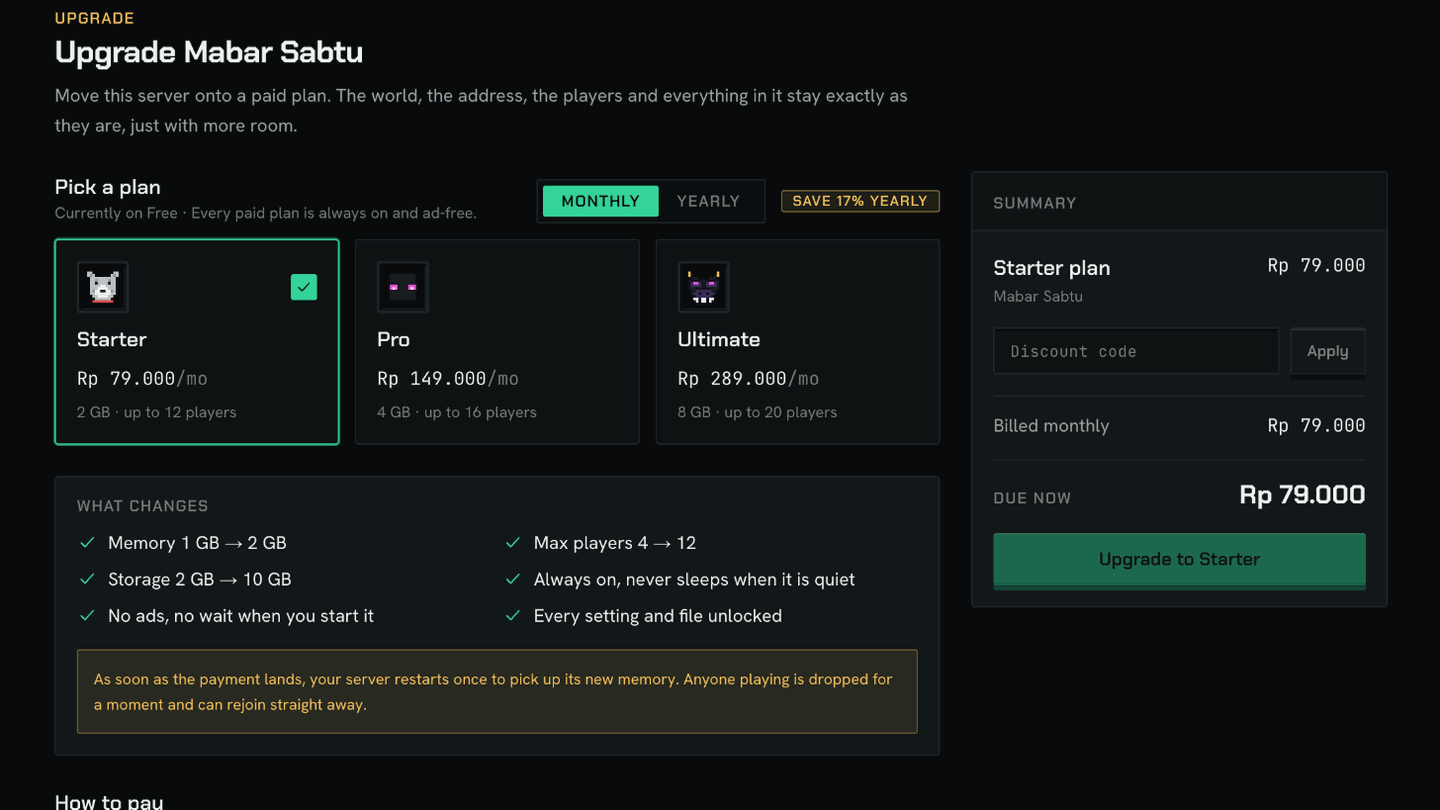
- 1Pick the plan. Starter starts at Rp 79,000 a month for 2 GB and 12 players.
- 2Choose Monthly or Yearly. Yearly is ten months’ price for twelve.
- 3Have a discount code? Type it into the Summary box and press Apply.
- 4Read the "What changes" box. Its numbers are worked out for this server: memory, max players and storage now, against after.
3. Choose how to pay
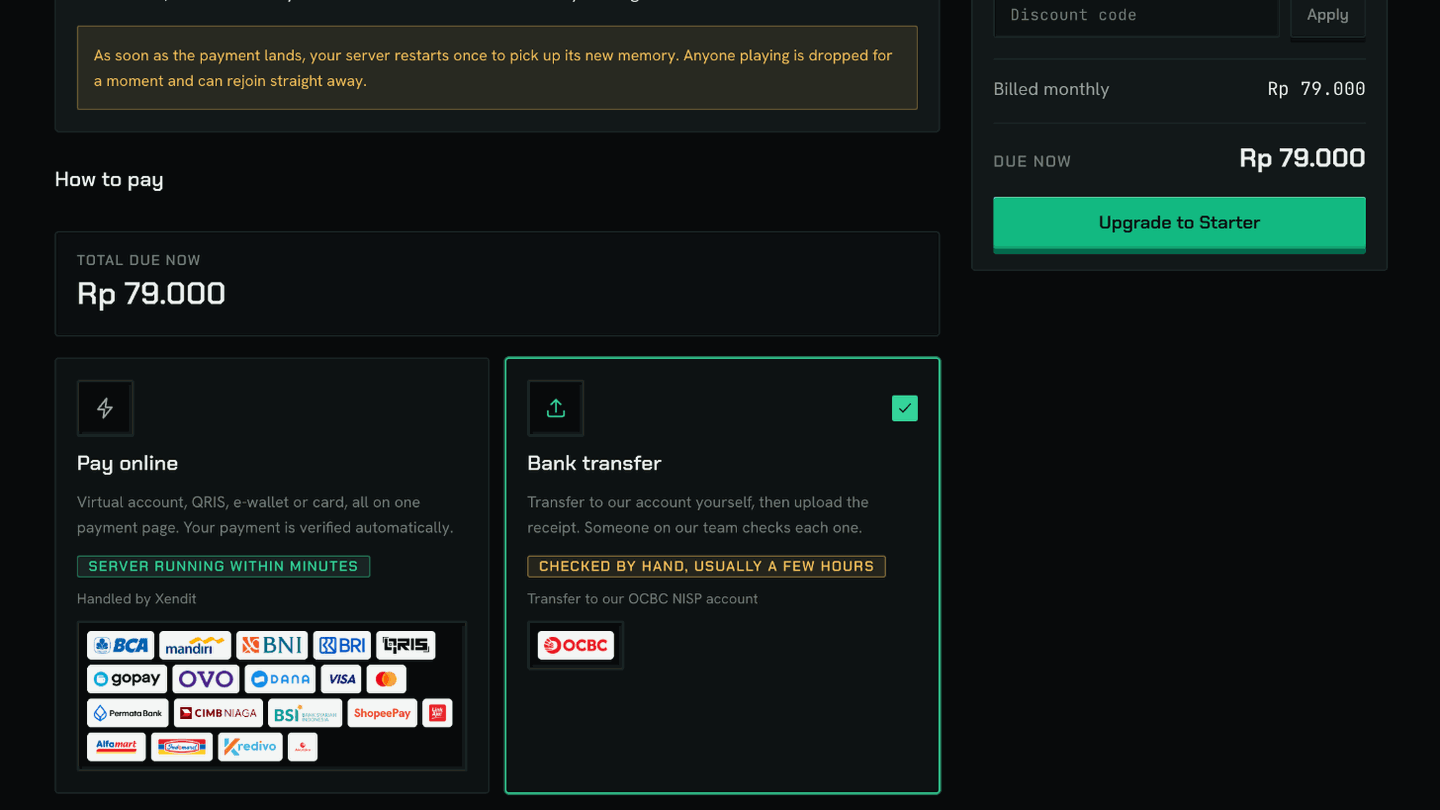
Paying online (virtual account, QRIS, e-wallet or card) is verified automatically, so the upgrade goes in within minutes. A bank transfer is checked by hand by our team, usually within a few hours. Pick one, then press "Upgrade to" and the plan’s name.
4. Pay
You land on the payment page. If you chose to pay online, press "Pay now" and finish on the secure payment page. If you chose bank transfer, send exactly the amount shown, without rounding it, then upload the receipt on the same page. The page updates by itself, so there is no need to refresh.
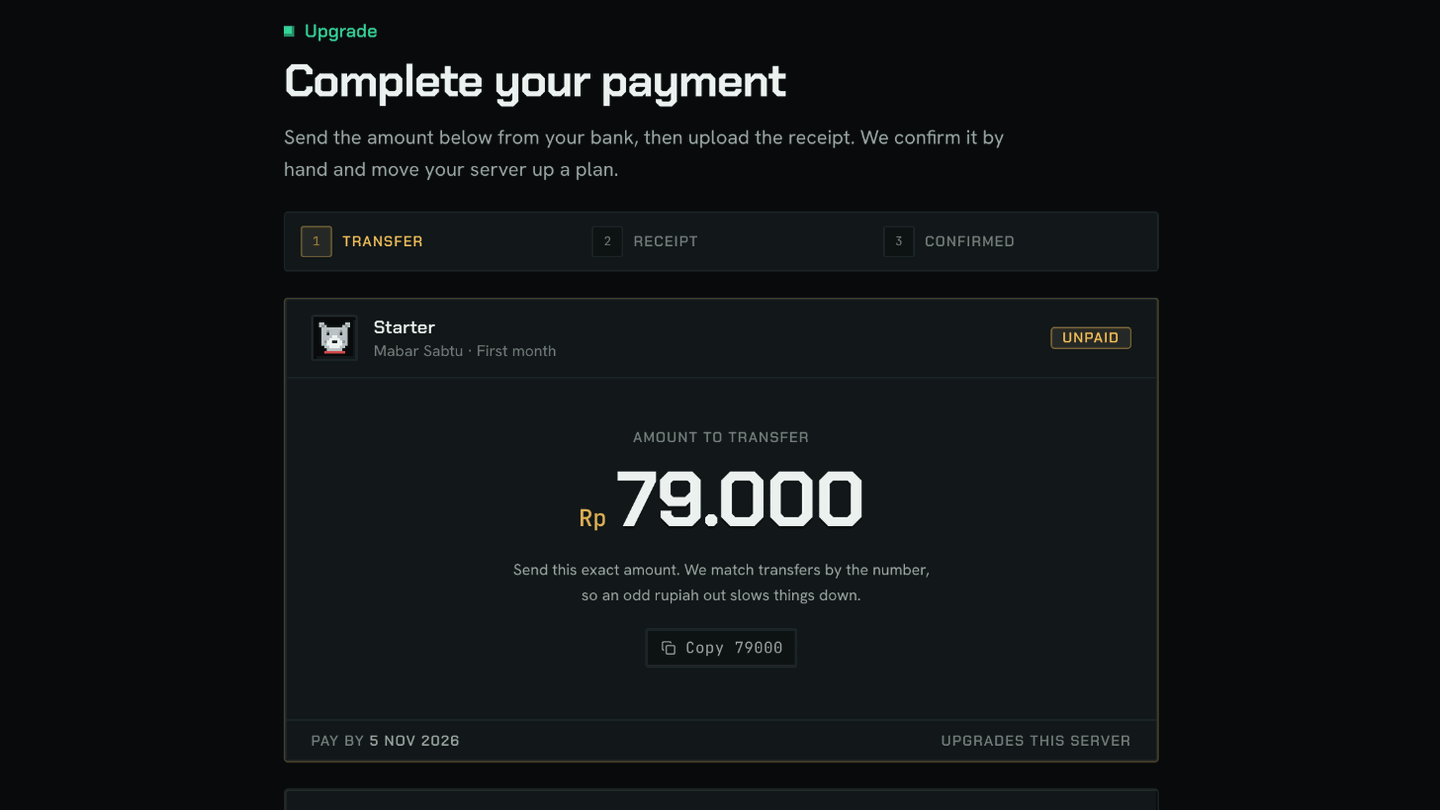
We hold room on your server’s machine while you pay: 30 minutes for online payment, 2 hours for a bank transfer. After that an online invoice closes on its own and nothing is charged. Changed your mind? Press "Cancel this order" at the bottom of the payment page.
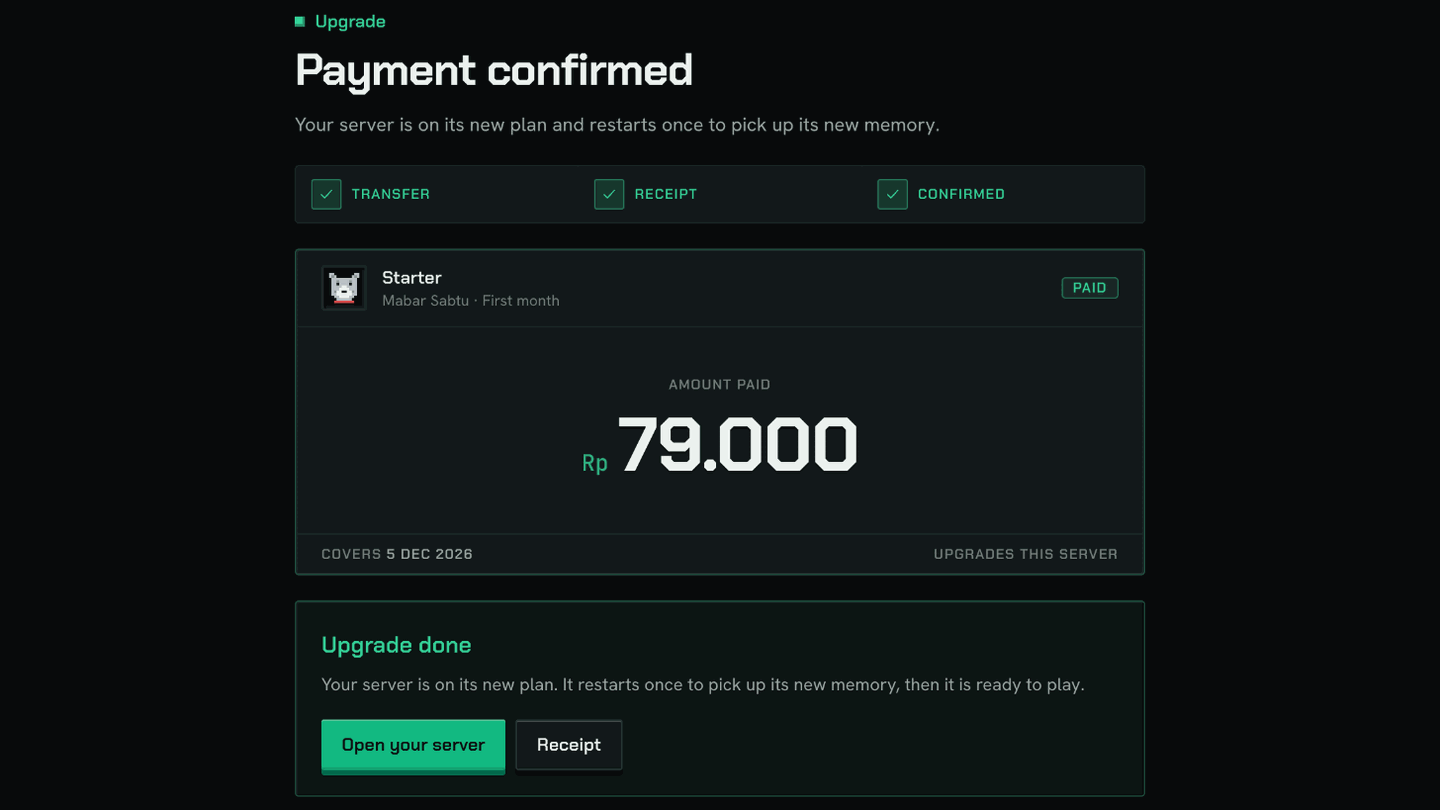
5. Done: the server restarts once
Once the payment lands, the page turns into "Upgrade done" by itself. Your server moves onto its new plan and restarts once, usually in under a minute. If it was asleep, it is started for you. Press "Open your server" to check: the line under its name now shows the new plan, and the memory is the new size.
What stays, what changes
- Stays: the world, the address, the version and loader, plugins and mods, operators, the whitelist and the backups you already have.
- Changes: memory, max players, storage and the number of backups, to your new plan’s.
- Changes: the server is always on, never sleeps when it is quiet, and has no ads or wait when you start it.
- Changes: every setting and file is unlocked. The free limits still at their defaults are lifted for you too: max players goes up, the 10-minute idle kick is switched off, the operator level becomes 4, and the 10,000-block world border is opened.
If the machine is full
Your world cannot move machines, so an upgrade needs room on the one it is on. If that machine is full, the Upgrade page says "Your server’s machine is full", nothing is charged, and you can try again later. If your payment lands while it is full, say a bank transfer checked the next morning, the money is still recorded and the upgrade is queued. We put it in automatically as soon as there is room, and your paid period only starts then.
Common questions
Will I lose my world?
No. The upgrade is the same server: the world, the address, the plugins and the operators all stay. It just restarts once to pick up its new memory.
Will settings I changed be overwritten?
No. We only lift free-plan limits that are still at their default values. If you already changed max players or the idle kick, your number is left alone.
What happens to my free server slot?
The server you upgraded becomes a paid one, so your account’s one free server slot opens up again. You can make a new free server whenever you like.
Can I cancel after pressing Upgrade?
Yes, until it is paid. Open the invoice, press "Cancel this order", and the room is released right away. Nothing is charged.
How do I move from Starter to Pro later?
For now, moving between paid plans and switching monthly to yearly go through support. The Upgrade button on the dashboard is for free servers.